
Pump Selection Software: Why Pump Makers Are Moving Beyond Paper Catalogues
Ask most pump dealers how they choose the right pump for a customer, and the answer is some mix of printed catalogues, PDF performance charts, an Excel sheet and experience. It works, but it is slow, it depends on one or two people who know the range well, and it makes quoting a borewell or building project take far longer than it should.
Pump selection software changes that. In this article we explain what it is, how it works, who benefits most and what to look for if you are a pump manufacturer, dealer or consultant thinking about one.
What is pump selection software?
Pump selection software is a tool that matches a customer’s requirement to the right pump models automatically. Instead of flipping through curves, you enter the duty point, the flow rate and total head the system needs, plus details like application, bore size, power supply and material. The software then shortlists models that can deliver that duty, shows each one on its performance curve and prepares a datasheet or quotation.
For manufacturers, it can be a branded tool on your own website that customers and dealers use. For dealers and distributors, it can cover several brands at once, so your team compares options side by side.
Why catalogues and Excel slow you down
- Selection takes too long. Reading curves by hand for every enquiry adds hours each week.
- Mistakes are expensive. An undersized pump fails early; an oversized one wastes energy and money.
- Knowledge sits with a few people. When your best engineer is busy or away, quotes stop.
- Quotes look inconsistent. Every salesperson formats specifications and prices differently.
- Customers cannot help themselves. Dealers and buyers phone or WhatsApp for every small question.
How a pump selection tool works
- Enter the duty point: flow rate (for example in m³/h) and total head (in metres).
- Add the application: borewell submersible, open well, booster, irrigation or industrial use, plus bore size and power supply.
- Get matching models: the tool lists pumps that meet the duty, ranked by how close they run to their best efficiency point.
- Compare on the curve: head, efficiency, power and NPSH at the exact operating point.
- Export and quote: download a datasheet or turn the selection into a quotation in a couple of clicks.
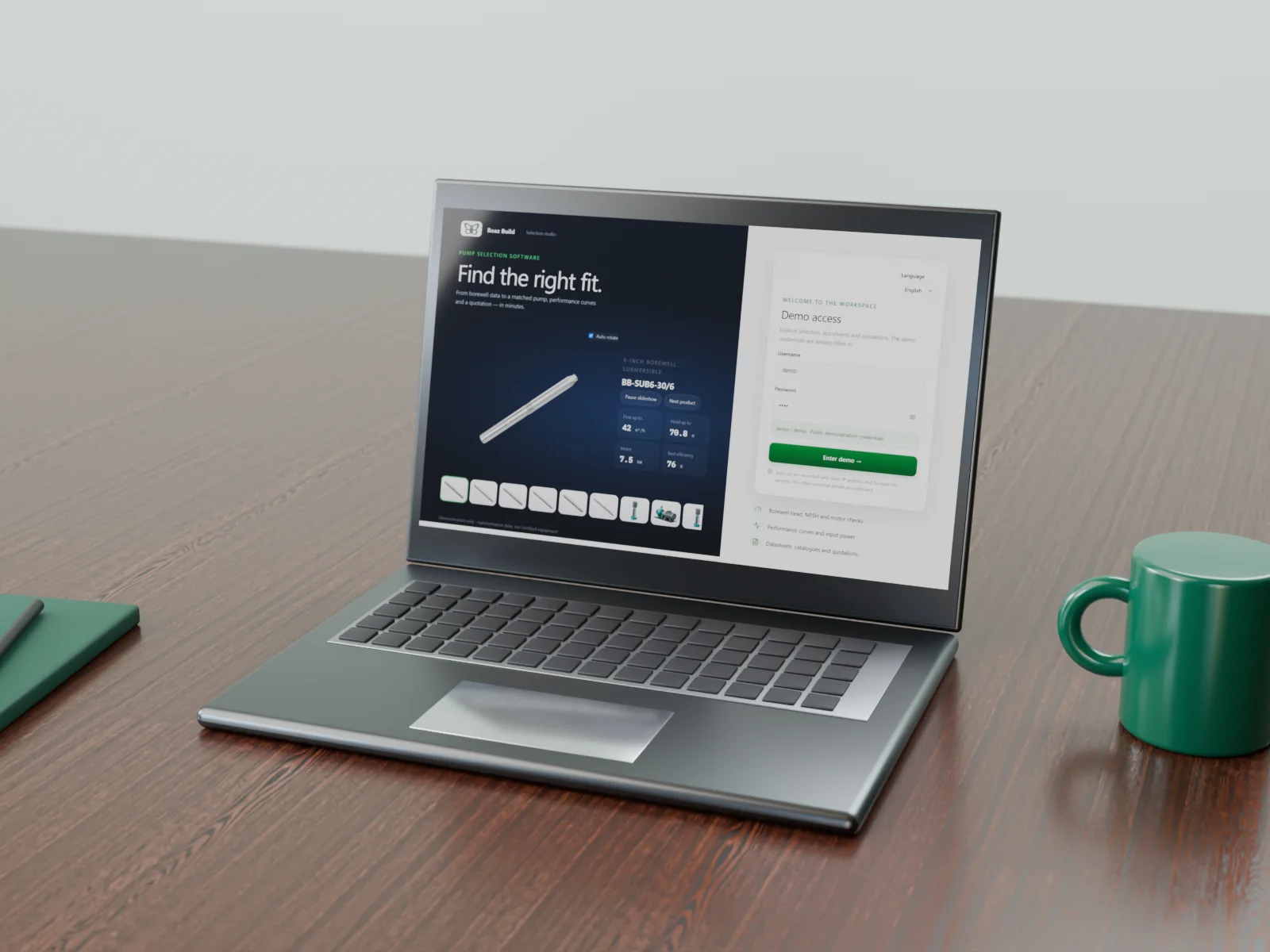
Here is our working demo build in action:
You can try it yourself at pump-selector.boazbuild.com. It runs on demonstration data, not a real manufacturer’s catalogue.
Reading a pump curve: the basics
Every selection starts from the pump curve: head against flow for one speed and impeller, with efficiency, power and NPSH curves underneath. The pump runs where its curve crosses the system curve, and a good choice puts that duty point close to the best efficiency point. Our step-by-step guide on how to read a pump curve explains each line with a diagram and a worked power example.
Common selection mistakes it prevents
- Oversizing “to be safe”. A pump running far left of its best efficiency point wastes power, vibrates and fails sooner.
- Ignoring the full head. Static lift alone is not enough; pipe friction and outlet pressure must be added to the total head.
- Forgetting NPSH. If the NPSH available is lower than the pump needs, cavitation damages the impeller.
- Wrong motor or supply. Single-phase and three-phase options, cable size and bore diameter must match the site.
- Outdated catalogue data. When curves change and old PDFs stay in circulation, quotes go out with the wrong models.
Software applies the same checks to every enquiry, so the result does not depend on who happens to be at the desk.
What changes for your business
The practical benefit is speed with confidence. A selection that used to take a skilled engineer half an hour can be checked in a minute, and every quotation leaves with the same professional datasheet. Newer sales staff can quote accurately, dealers can shortlist models themselves, and your engineers spend their time on the projects that genuinely need them. For manufacturers, a branded selector on your website also captures enquiries directly instead of losing them to marketplace listings.
Who benefits most
- Pump manufacturers who want a branded selector on their website, so buyers and dealers can choose the right model from the full range.
- Dealers and distributors who sell several brands and need one fast way to compare models and quote.
- Consultants and contractors who size pumps for borewells, buildings, irrigation or tenders and need accurate, documented selections.
Features worth having
- Selection by duty point with a clear explanation of why a model is suitable.
- Interactive performance curves showing head, efficiency, power and NPSH.
- A product library with specifications, images and datasheets for every model.
- Quotation export to PDF, Excel or Word, with your branding.
- Dealer logins with role-based pricing, if you sell through a channel.
- An admin panel, so your team can update models, curves and prices without a developer.
- Works on phones as well as desktops, because site engineers quote from the field.
What it takes to build one
Every pump range is different, so a good selector is built around your own catalogue and selection rules, not a generic template. The main inputs are your model list, performance curve data, technical specifications and the rules your engineers already use. If your curves exist only as printed charts, they can be digitised.
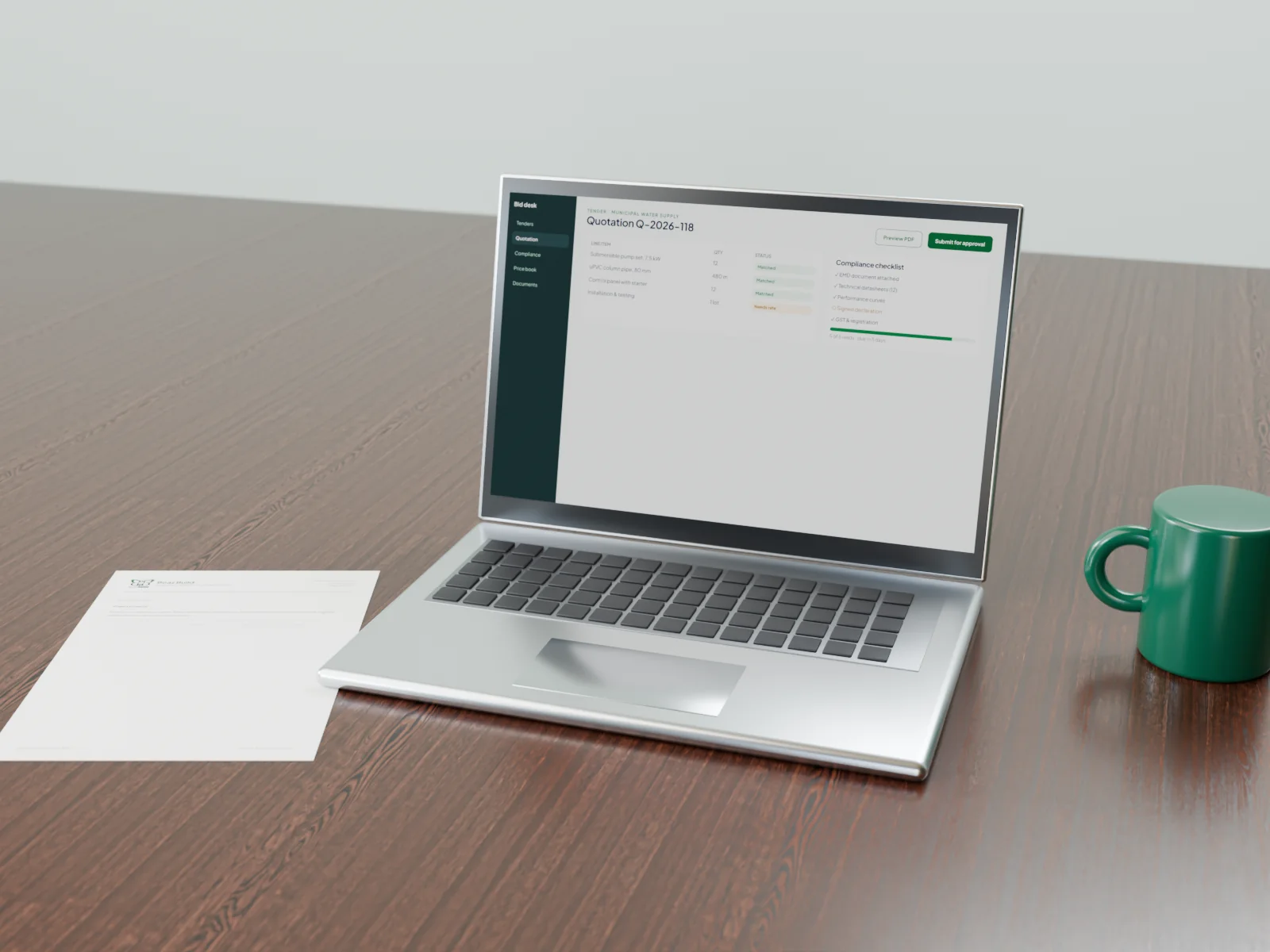
A focused first version can concentrate on selection and datasheets, with quotations, dealer access and tender documents added later. That keeps the first step manageable. If you also prepare bids, our tender and quotation tools can connect to the same data.
Frequently asked questions
Can the software use our existing catalogue data?
Yes. Model lists, specifications and curves from Excel, PDFs or printed catalogues can be structured for the tool.
Can it cover several pump brands?
Yes. For dealers, a multi-brand selector can show models from every brand you sell, compared on the same duty point.
Will it work in other languages?
It can. The interface and datasheets can be prepared in English, Hindi, Gujarati, Arabic and other languages your customers use.
See it in action
Read more about our pump selection software, watch the walkthrough on our portfolio, or request a free written quote. We reply within 24 hours.


0 comments
No comments yet. You can start the conversation.